Resources
Resources
5 Creative Tools You Need to Know

Alexis H
|
As a designer or creative, it can feel like a never-ending quest to master the latest software or process.
Especially right now, when every day we hear about a new AI tool or model we just HAVE TO LEARN, or risk being left behind…
While it’s true that tools are always changing (and there is indeed, always more to learn) the real work of being a creative person is finding things that capture your curiosity and inspire you to dive into hyperfocus-mode.
So this week, we're doing a “tool roundup”, featuring 5 of our team’s favorite creative tools. We hope at least one of them will light up your curiosity and bring something new to your creative practice.
We’ll focus on tools that might unlock a new medium you haven't tried before.
Our list is intended to inspire you, not exhaust you — so browse the reccs, and if one of them lights you up, give it a try!
P.S. None of this is sponsored, we genuinely just like these tools.
Tool #1: Looom
(with three O's, not two!)
Looom, available for iPad and iPhone, describes itself as a “next generation flipbook” — with simple tools to create frame-by-frame hand-drawn animations.
The developers describe it as “so playful you’ll think it’s a toy, but it's secretly a robust app with a reimagined user interface for animators and creators.”
Even if you don’t think you can draw, it’s worth playing with.
Here are a few example experiments I made while messing around! (I'm not good at drawing… yet 😎).
Entering my animated blob era
I call it: "Worm in the forest with a computer"
What makes Looom unique is that it feels almost like sketching in a notebook, instead of creating something complicated and technical. It focuses on looping as an art form and the workflow feels almost meditative!
(You can also export the vector files to more complex animation software if you need to.)
Tool #2: Figma Make
Many of you have probably heard of Figma, a collaborative design tool that is widely used for creating digital interfaces like websites and apps.
It allows you to design layouts, create reusable components, and organize entire design systems in one place. Very powerful!
Figma Make takes it a step further by adding a prototyping feature that allows you to turn static designs into interactive experiences, like clickable app or website mockups.
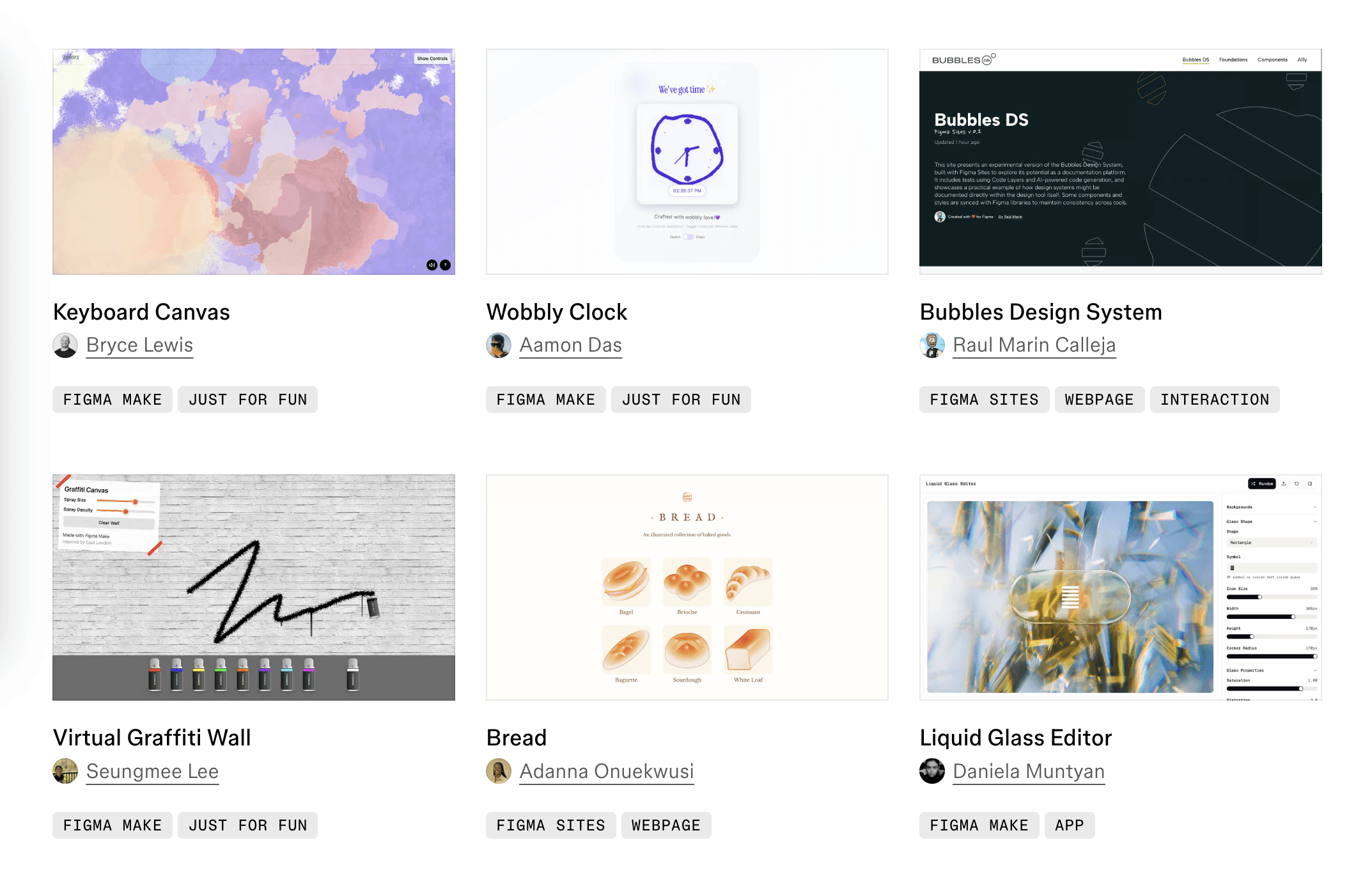
A few example projects from the Figma Make community
You can design screens, connect them with transitions, and simulate how someone would move through your interface — all without writing any code (though you can also add custom code to it if you want).
This makes it a powerful tool for testing ideas and communicating how a product should function before it’s built, or even making a game or simple interactive tool that works right away!
If you have an app idea, and you want to see it come alive, give Figma Make a try.
Here's a gallery of fun things other people have made with it to give you some ideas!
Tool #3: Dazz Cam
Next we'll introduce a tool that's a bit simpler, and something that most of us probably do at least once every day: taking photos with our phones.
We’ve been excited about an app called Dazz Cam, because it makes us feel all kinds of nostalgic.
Dazz Cam is a phone photography app that focuses on recreating the look and feel of vintage film cameras.
It offers a variety of filters, light leaks, “date stamps” like old cameras used to have, and color profiles that mimic old-school photography styles, giving your photos a nostalgic and artistic vibe. Like it came straight out of a camera, and you had to wait for it to develop.
And you won’t *totally* know what a photo will look like until you take it!
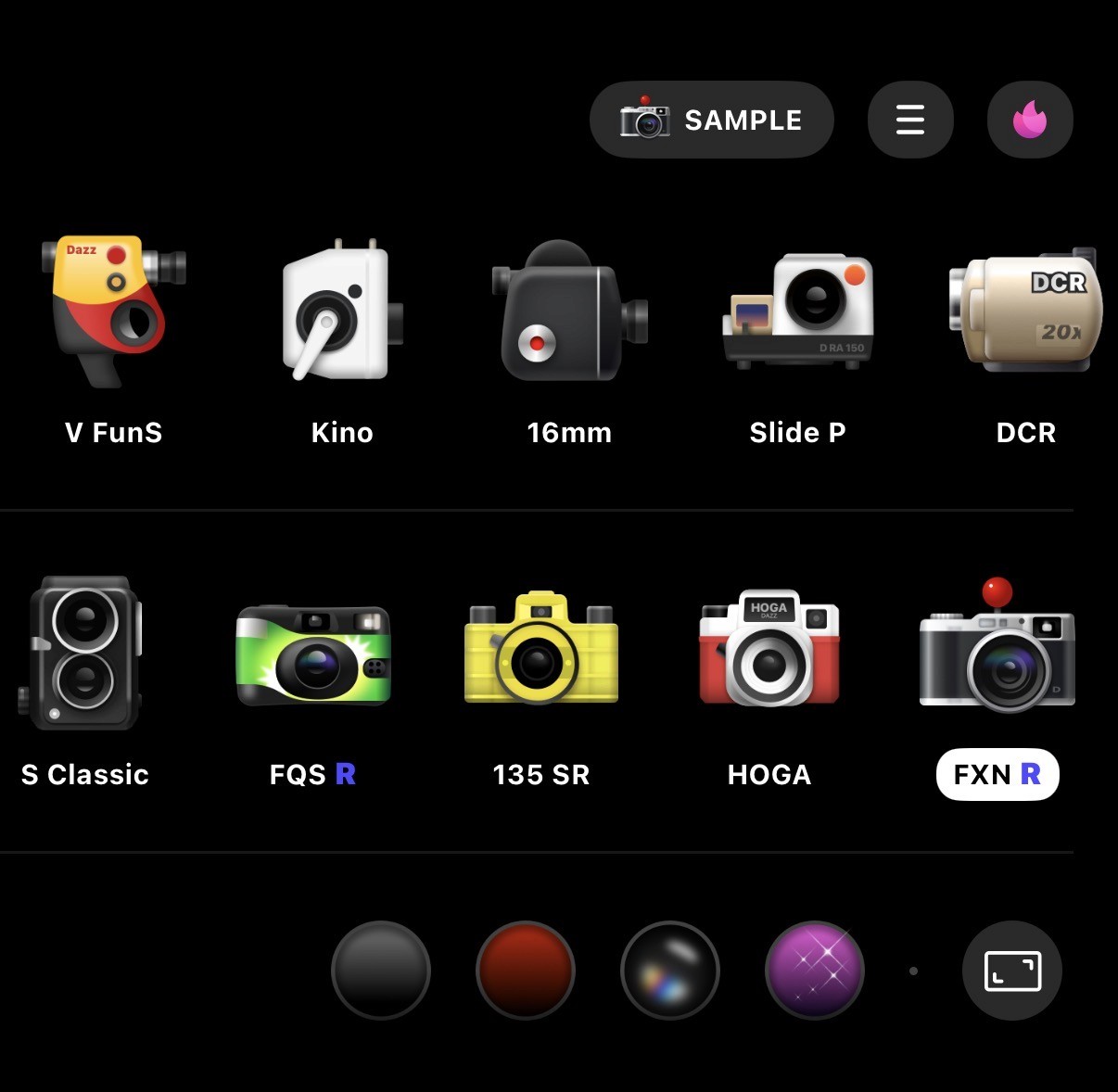
A few of the camera and lens options in Dazz Cam
Over time you’ll learn which camera models give you the aesthetic you like. They also include old school video camera options if you want to make some stylish short films.
So give it a try, and see if focusing more on capturing the moment, instead of editing after the fact, brings a little more spark to your photography 🙂
Tool #4: Womp
3D modeling has long been considered a difficult skill to learn.
Unlike drawing or photo editing, where what you see is what you get, 3D modeling involves constantly switching perspectives and understanding how things look from different angles.
To add to that… historically, 3D modeling software has usually been very complex because it grew out of highly technical fields like engineering and architecture. The software is usually pretty user-unfriendly, because it was never really designed with creatives in mind!
Much of that has slowly been changing now that 3D printing has become more mainstream, and there are a lot of better options for beginners now.
One of those options is called Womp.
Womp is a beginner-friendly 3D modeling tool designed to make creating 3D objects feel simple and fun.
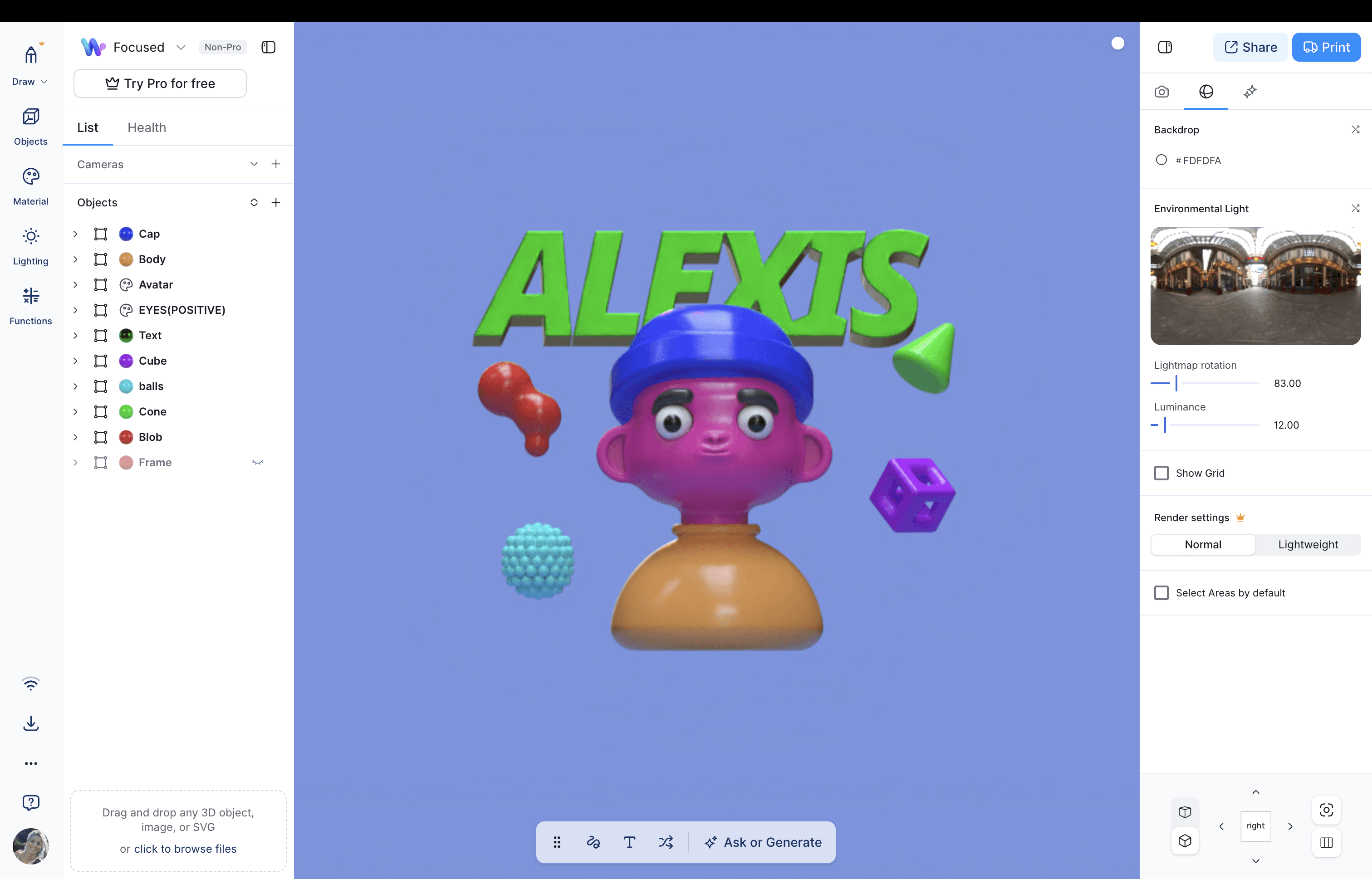
Even the Womp tutorial is super fun!
Instead of dealing with complicated, abstract menus… you build models using basic shapes that you can stretch, combine, and sculpt in real time.
Once you make an object you like with Womp, you can also get it 3D printed straight from the platform.
Or you can just use it to make 3D assets for games, videos, and more. Try it out and see what you can make!
Tool #5: Focused Space
Well, we couldn’t forget about ourselves!
Creativity usually involves tools (analog tools, and digital ones too) but it also requires time, space, and process.
Body Doubling can be an incredible tool for creatives because it removes one of the biggest barriers to making progress: getting started.
Creative work often stalls not because of a lack of ideas, but because of things happening in our brains, like overthinking, distraction, perfectionism, and fear of failure.
Does any of that sound relatable?
Time-based Body Doubling sessions give your work a clear container, and sharing a supportive atmosphere makes it easier to stay engaged without forcing yourself to “be productive.”
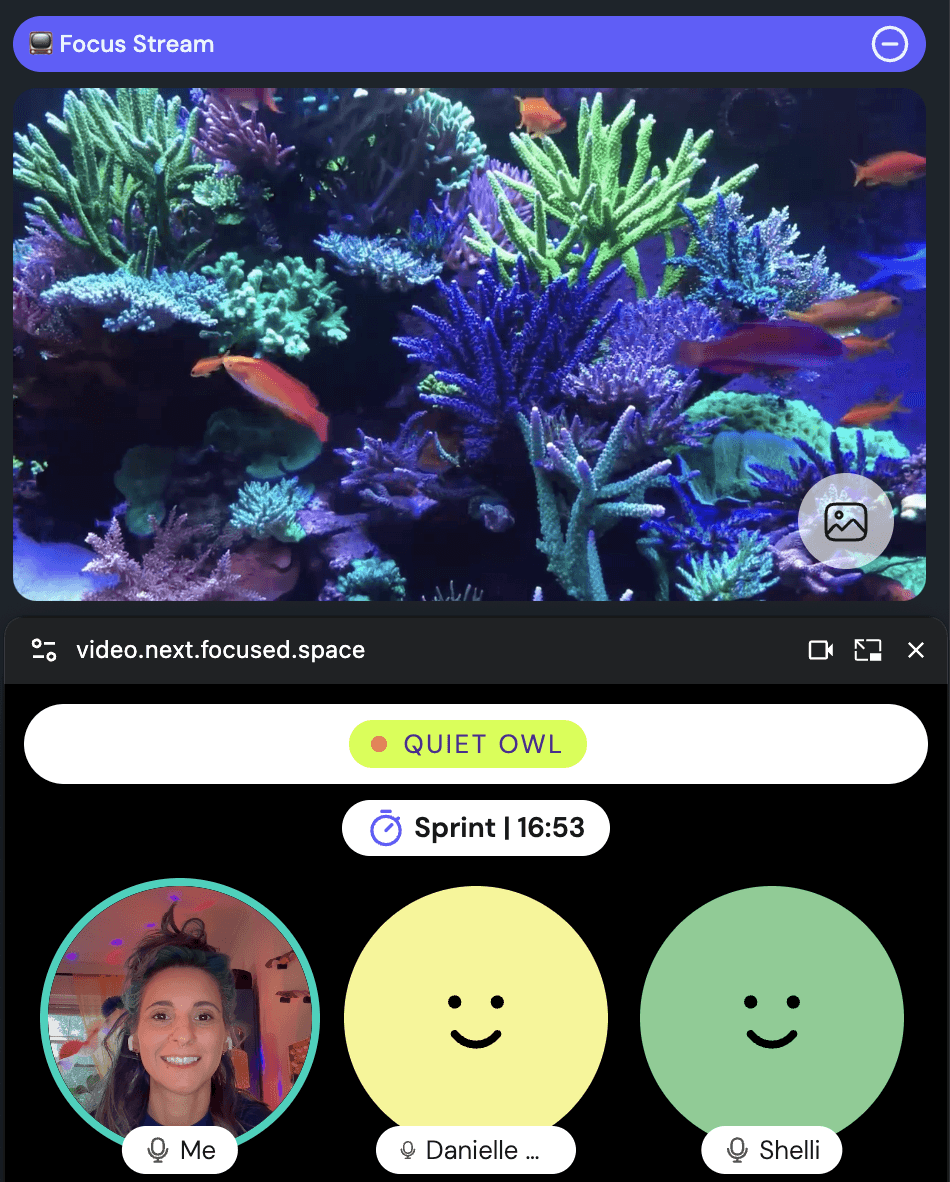
Our "Night Owl" room is always full of creatives 🦉🌙
Over time, your brain starts to associate Body Doubling sessions with being in “creative mode,” making it easier to drop into flow, experiment, and follow ideas in a more playful way.
So if you ever feel stuck in a creative rut… join a Focused Space session to get motivated and find your flow state 😎
✧˖°. ⋆。˚:✧。
That's it! We hope you're inspired to give one of these tools a try, and let us know how it goes. Or better yet, join us in a Body Doubling session to show off what you made.
P.S. If you aren't a member of Focused Space, but could use help accomplishing your goals, busting through procrastination, or getting motivated… you are welcome to join us at one of our live guided work sessions, or morning planning sessions!
Take care,
— Alexis and the focused space team
As a designer or creative, it can feel like a never-ending quest to master the latest software or process.
Especially right now, when every day we hear about a new AI tool or model we just HAVE TO LEARN, or risk being left behind…
While it’s true that tools are always changing (and there is indeed, always more to learn) the real work of being a creative person is finding things that capture your curiosity and inspire you to dive into hyperfocus-mode.
So this week, we're doing a “tool roundup”, featuring 5 of our team’s favorite creative tools. We hope at least one of them will light up your curiosity and bring something new to your creative practice.
We’ll focus on tools that might unlock a new medium you haven't tried before.
Our list is intended to inspire you, not exhaust you — so browse the reccs, and if one of them lights you up, give it a try!
P.S. None of this is sponsored, we genuinely just like these tools.
Tool #1: Looom
(with three O's, not two!)
Looom, available for iPad and iPhone, describes itself as a “next generation flipbook” — with simple tools to create frame-by-frame hand-drawn animations.
The developers describe it as “so playful you’ll think it’s a toy, but it's secretly a robust app with a reimagined user interface for animators and creators.”
Even if you don’t think you can draw, it’s worth playing with.
Here are a few example experiments I made while messing around! (I'm not good at drawing… yet 😎).
Entering my animated blob era
I call it: "Worm in the forest with a computer"
What makes Looom unique is that it feels almost like sketching in a notebook, instead of creating something complicated and technical. It focuses on looping as an art form and the workflow feels almost meditative!
(You can also export the vector files to more complex animation software if you need to.)
Tool #2: Figma Make
Many of you have probably heard of Figma, a collaborative design tool that is widely used for creating digital interfaces like websites and apps.
It allows you to design layouts, create reusable components, and organize entire design systems in one place. Very powerful!
Figma Make takes it a step further by adding a prototyping feature that allows you to turn static designs into interactive experiences, like clickable app or website mockups.
A few example projects from the Figma Make community
You can design screens, connect them with transitions, and simulate how someone would move through your interface — all without writing any code (though you can also add custom code to it if you want).
This makes it a powerful tool for testing ideas and communicating how a product should function before it’s built, or even making a game or simple interactive tool that works right away!
If you have an app idea, and you want to see it come alive, give Figma Make a try.
Here's a gallery of fun things other people have made with it to give you some ideas!
Tool #3: Dazz Cam
Next we'll introduce a tool that's a bit simpler, and something that most of us probably do at least once every day: taking photos with our phones.
We’ve been excited about an app called Dazz Cam, because it makes us feel all kinds of nostalgic.
Dazz Cam is a phone photography app that focuses on recreating the look and feel of vintage film cameras.
It offers a variety of filters, light leaks, “date stamps” like old cameras used to have, and color profiles that mimic old-school photography styles, giving your photos a nostalgic and artistic vibe. Like it came straight out of a camera, and you had to wait for it to develop.
And you won’t *totally* know what a photo will look like until you take it!
A few of the camera and lens options in Dazz Cam
Over time you’ll learn which camera models give you the aesthetic you like. They also include old school video camera options if you want to make some stylish short films.
So give it a try, and see if focusing more on capturing the moment, instead of editing after the fact, brings a little more spark to your photography 🙂
Tool #4: Womp
3D modeling has long been considered a difficult skill to learn.
Unlike drawing or photo editing, where what you see is what you get, 3D modeling involves constantly switching perspectives and understanding how things look from different angles.
To add to that… historically, 3D modeling software has usually been very complex because it grew out of highly technical fields like engineering and architecture. The software is usually pretty user-unfriendly, because it was never really designed with creatives in mind!
Much of that has slowly been changing now that 3D printing has become more mainstream, and there are a lot of better options for beginners now.
One of those options is called Womp.
Womp is a beginner-friendly 3D modeling tool designed to make creating 3D objects feel simple and fun.
Even the Womp tutorial is super fun!
Instead of dealing with complicated, abstract menus… you build models using basic shapes that you can stretch, combine, and sculpt in real time.
Once you make an object you like with Womp, you can also get it 3D printed straight from the platform.
Or you can just use it to make 3D assets for games, videos, and more. Try it out and see what you can make!
Tool #5: Focused Space
Well, we couldn’t forget about ourselves!
Creativity usually involves tools (analog tools, and digital ones too) but it also requires time, space, and process.
Body Doubling can be an incredible tool for creatives because it removes one of the biggest barriers to making progress: getting started.
Creative work often stalls not because of a lack of ideas, but because of things happening in our brains, like overthinking, distraction, perfectionism, and fear of failure.
Does any of that sound relatable?
Time-based Body Doubling sessions give your work a clear container, and sharing a supportive atmosphere makes it easier to stay engaged without forcing yourself to “be productive.”
Our "Night Owl" room is always full of creatives 🦉🌙
Over time, your brain starts to associate Body Doubling sessions with being in “creative mode,” making it easier to drop into flow, experiment, and follow ideas in a more playful way.
So if you ever feel stuck in a creative rut… join a Focused Space session to get motivated and find your flow state 😎
✧˖°. ⋆。˚:✧。
That's it! We hope you're inspired to give one of these tools a try, and let us know how it goes. Or better yet, join us in a Body Doubling session to show off what you made.
P.S. If you aren't a member of Focused Space, but could use help accomplishing your goals, busting through procrastination, or getting motivated… you are welcome to join us at one of our live guided work sessions, or morning planning sessions!
Take care,
— Alexis and the focused space team
Join our community
✨ Bust through procrastination with our inspiring community ✨
Tap more to learn about focused space
Join our community
✨ Bust through procrastination with our inspiring community ✨
Tap more to learn about focused space
Join our community
✨ Bust through procrastination with our inspiring community ✨